
Personal Project - Banking: Pt. 1
So i decided to undertake my own personal project to help better my programming/java skills. For my project, I decided to create a BANK SYSTEM.
In part 1, I will explain the whole concept of my new program and some of the features that I will aim to accomplish. I will also write out the full brief including what I I hope to achieve, and by the end of the project when I write my project review, I will go over what I have and/or haven't achieved
Task:
To create a banking system that both customers and admins can use to create accounts, withdraw, deposit and transfer money etc.
Features:
Withdraw Money
Deposit Money
Transfer Money
Create Accounts
Link Accounts
Close Accounts
Check Balance
View Statement
For this part, I will go through my GUI set up, and what each screen will potentially do/what features they'll include
Main Menu:
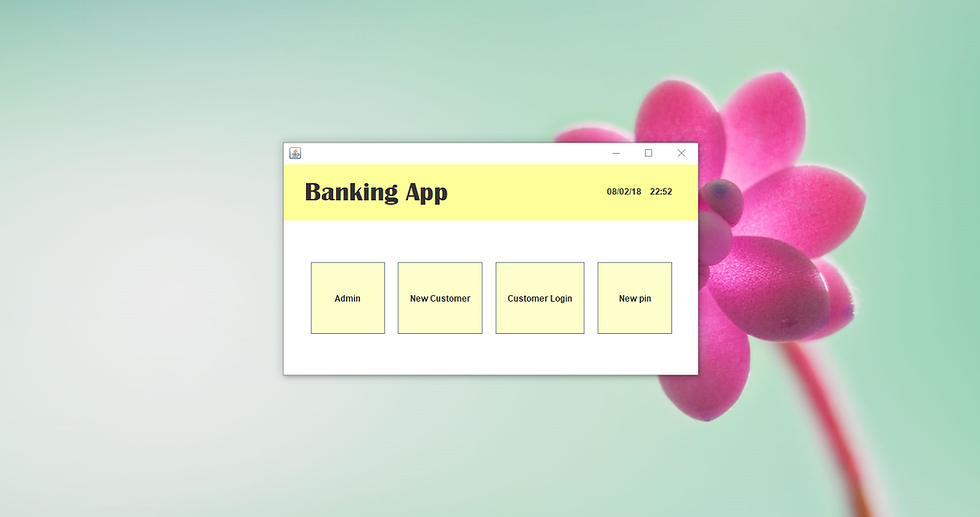
For the Main Menu, Their are 4 options
1. Admin - This is pretty self explanatory. It's a password protected area where the admins can view specific information about the customers
2. New Account - This is for the user to set up a new account
3. Customer Login - If the user already has an account, they can login to do various things
4. New Pin- if the user wants to request a new pin
New Account:
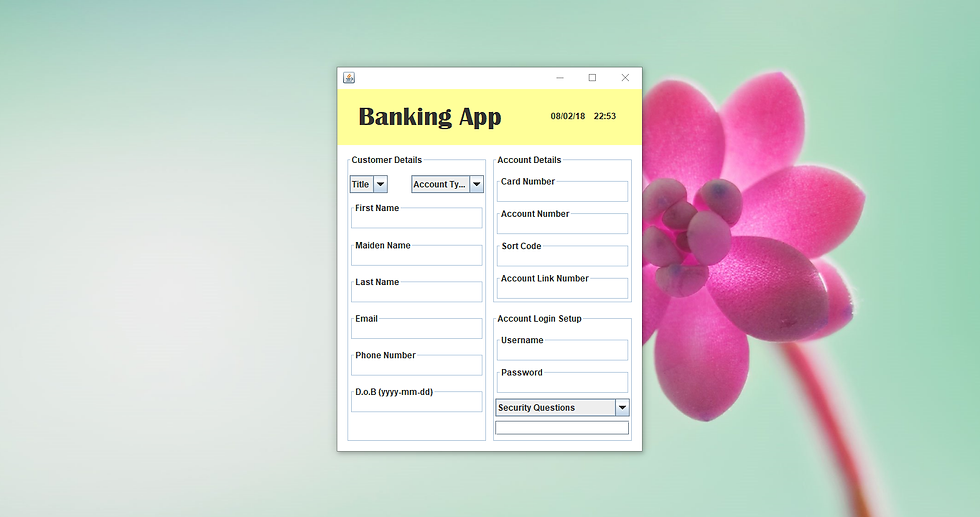
When setting up a new account, the customer is presented with a form to fill out with many sections, from inputting their own details, to the computer generating and displaying information to the user, as well as the user setting up a username and password for their account which they can then use to access their account at a later date
Customers Login/Account:
Customer Login Forgotten Pin Customer Account Details Withdraw Money Deposit Money Transfer Money View Statement View all Linked Accounts Open Additional Accounts Open Child Account
The user Logs in with the username and password they gave when opening their initial account. There is also the forgotten password bit at the bottom. When they have logged in, at the top of the page is the details of the main account. In the bottom section, the user can select through the tabbed menu a variety of different options, such a withdrawing, depositing, transferring money from/between accounts. the user can also view their statements and if they have multiple accounts linked, they can view and access it from one place.They user can also create/open additional accounts that will be linked to each other. There is the option to create a child account, so its in the child's name but managed by the parent account (the main account).
New Pin:
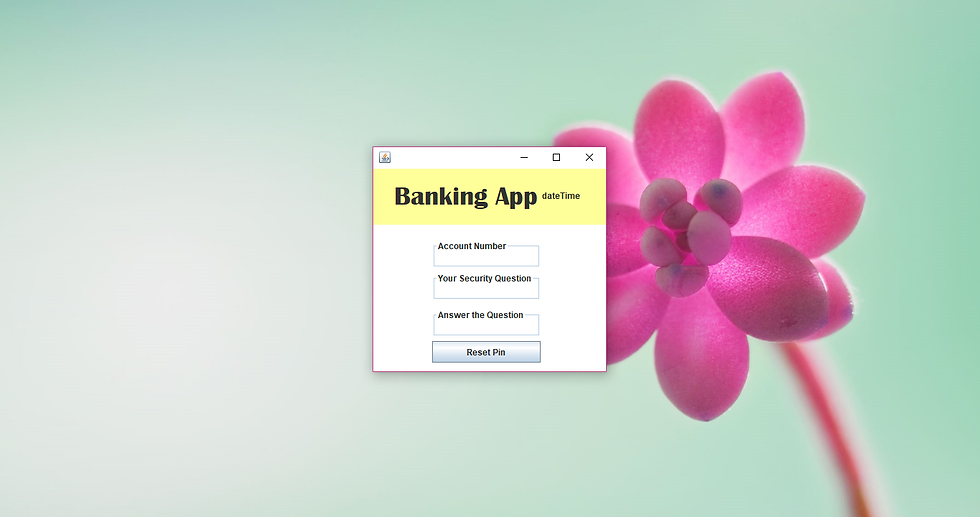
If the user requests a new pin for their account, they have to input their account number and their security question/answer before a new pin is generated, how the user will get this pin I will decide when I begin to add code
In Part 2, I will go through the background process of how I will achieve certain features, such as the use of databases, text files, validations, etc



Comments